On this page
What does an optical POS do that a retail POS cannot?
An optical shop makes two kinds of sale. A ready item, such as sunglasses or a box of contact lenses, is scanned, paid for and gone, and any retail POS can handle it. A spectacle order holds a prescription for each eye, a frame and two lenses that may come from a lab, an advance today and a balance at pickup. An optical POS keeps that order as one record from the first visit to the day the glasses are collected.
A general retail POS
- One barcode, one item, one price
- Paid in full at the till
- Stock goes down by one
- The receipt closes the sale
Both ring up ready items: sunglasses, cases, solution and boxed contact lenses.
An optical POS
- The prescription for each eye on the order
- A frame, a right lens and a left lens on one bill
- An advance today, a balance at pickup
- A lab cost and a delivery date
A spectacle order passes through six stations at the counter:
- Step 1
Customer and prescription
Find or add the customer and enter the prescription for each eye.
- Step 2
Frame and lenses
Pick both from stock, or mark the lenses for the lab.
- Step 3
Bill
Discount, tax and the advance paid today.
- Step 4
Receipt
Printed or sent, with the balance and pickup date.
- Step 5
Pickup and balance
Glasses collected, balance taken, order closed.
- Step 6
Day close and reports
Cash count, sales, expenses and stock to reorder.
The 12 questions below test those stations. Ask them of every vendor in the same order, and note what each one showed you, not what they said. If you still need a shortlist of products to test, see five optical shop software options compared.
What should you write down before the first demo?
Vendors demonstrate the path their product handles best. To see whether it handles yours, describe your shop on one page first.
Your shop on one page
- How many counters, PCs and phones will use it, and who works at each.
- Spectacle orders and counter sales on a normal day and on your busiest day.
- How many orders go to an outside lab, and to which labs.
- The lens powers you stock, and the ones you order for each job.
- Contact lenses you stock, and whether you track expiry dates.
- Your printers: thermal roll width, A4 or A5, and any label printer.
- How often your internet drops, and for how long.
- The languages your counter staff read most easily.
- Branches you run now, and any you plan in the next two years.
- What your tax authority requires on a receipt or invoice.
- Where your records are today: paper, a spreadsheet or old software.
- What you can spend each month, and once on hardware.
Mark each line as a must, a should or a nice-to-have. Those marks become the weights in the scoring worksheet below. For the tax line, the optical shop invoice checklist goes through what a bill needs to show.
Questions 1 to 3: will it keep the counter and stock accurate?
These decide whether the counter keeps moving on a busy day and whether the stock list matches the shelf.
What happens when the internet drops during a sale?
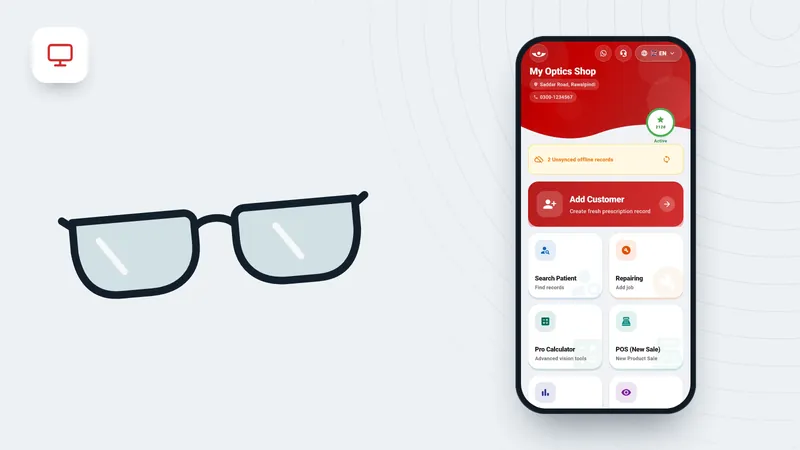
A cloud-only POS runs in a browser and needs a connection for every bill. An offline-capable POS saves the sale on the PC or phone and sends it later, either by itself or when someone presses a button. Find out which, and who in the shop has to do the sending. Many systems still need the internet to sign in. The detailed checks are in what to check in offline optical billing software.
Why it matters An outage on a busy day stops the counter or sends staff back to paper, and paper bills often never reach the system.
Ask the vendor to show you an order finished with the internet off, its receipt printed, and the record reaching the server after you reconnect.
Red flag A demo that only runs online, or no visible count of records waiting to be sent.
Can it hold frames, lenses and contact lenses as different kinds of stock?
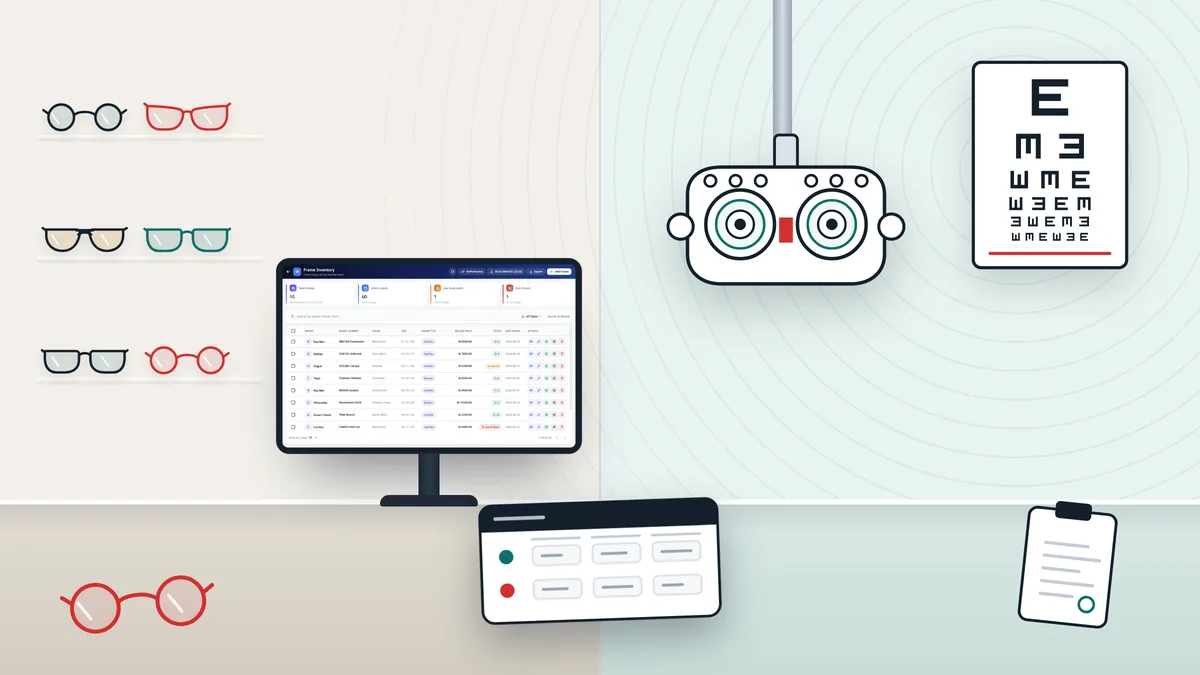
Frames are counted by model, colour and size. Stock lenses are counted by type and power, often across a range in 0.25 steps. Lenses a lab makes for one prescription are not stock but a cost on that order. Contact lenses also need base curve, diameter and an expiry date. A method for all three is in how to manage optical inventory.
Why it matters Lens stock by power is the part most general retail systems cannot hold, and stock recorded the wrong way is wrong from the first day.
Ask the vendor to show you a frame in two colours, a lens range such as −0.25 to −4.00 with cylinder to −2.00, and a contact lens box with an expiry date, each sold once with its count going down.
Red flag Lenses kept as one product with the power typed in a note, or no expiry field for contact lenses.
How do items get barcodes, and how quickly can staff find one?
Some suppliers send frames with their own barcodes and some do not, so ask whether the software creates codes and prints labels, including narrow temple labels that do not hide the frame front. Most USB scanners type like a keyboard; check that a scan lands on the spectacle order and the counter sale, not only the stock list. Ask how your current list gets in: typing several hundred frames takes days, and importing a spreadsheet takes far less.
Why it matters Scanning stops a sale being recorded against the wrong colour or size.
Ask the vendor to show you a label from your own label printer scanned into a sale, and twenty rows of your current list imported.
Red flag Labels only on A4 sheets, or no way in for your existing list except typing.
Questions 4 to 6: does it handle customers, money and suppliers?
These cover the records you will look up for years: prescriptions, what customers owe you and what you owe suppliers.
Is the prescription saved on the order, in separate fields for each eye?
Look for a field for each value of each eye: sphere, cylinder, axis, ADD and pupillary distance, plus prism if your prescribers write it. If any of these terms are new, see how to read an eye prescription. A notes box cannot be searched, checked or printed neatly. Check that one bill holds more than one pair and that an old prescription comes back from a phone number. Common mistakes are listed in entering a prescription in optical software.
Why it matters A remake, a second pair or a complaint starts with the same question: what did we make last time?
Ask the vendor to show you a prescription with cylinder and an ADD entered, printed on the receipt, and found again by phone number after the program is restarted.
Red flag One text box for the whole prescription, or no search by phone number.
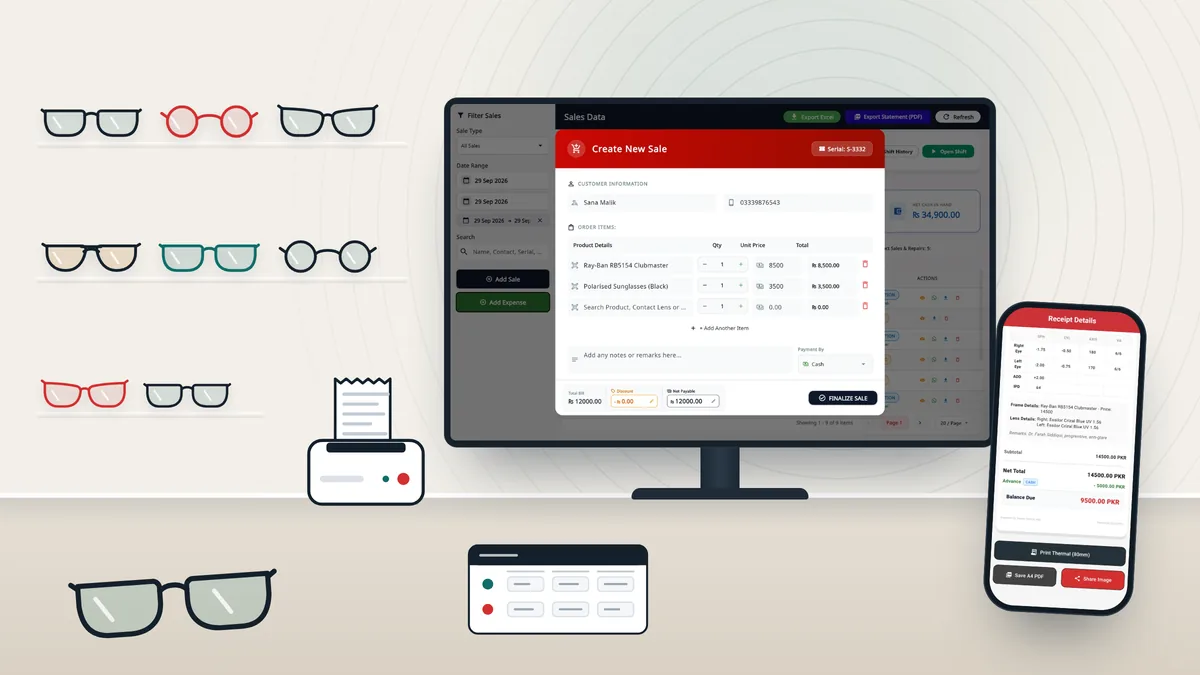
Can one bill carry a frame, two lenses, a discount, tax and an advance?
Most cash errors start on the spectacle bill: an advance not recorded, a balance not collected, a discount nobody approved. Check that the order shows the advance and the balance due, that you can list who still owes, and that the payment type is recorded. If customers pay the balance in parts, ask how a part payment is entered. Ask how a return or refund works and who can cancel a bill. The same program should also take counter sales, expenses paid from the till and stock purchases.
Why it matters Errors on the order bill show up later as cash missing from the drawer or balances that were never paid.
Ask the vendor to show you a progressive pair billed with a discount and an advance, the balance collected later, and the list of customers who still owe.
Red flag Balances kept on paper, or discounts with no limit and no record of who gave them.
Does it keep an account for each supplier and lab?
Frame wholesalers, lens suppliers and labs often sell on credit. The software should show what you owe each one: bills, payments and returns. Stock bought on credit should create a bill on that supplier's account, and the cost of an outsourced job should land on the lab's account. Ask how a job is followed while it is out: a delivery date only, or stages such as sent, received and ready.
Why it matters Without supplier accounts you learn what you owe when the supplier calls.
Ask the vendor to show you a delivery on credit, a payment, a return and a lab job's cost, then the supplier's balance after all four.
Red flag Lab costs linked neither to the order nor to the lab, so the profit on an order cannot be seen.
Questions 7 to 9: branches, reports and language
These decide whether the system still fits as the shop grows, and whether the people using it every day can read it.
What happens when you open a second shop?
Ask whether the owner sees every branch on one screen, whether each branch has its own stock and staff, whether stock can be transferred between branches and recorded on both sides, and what each branch costs. If you have one shop and no plans for a second, give this question a low weight.
Why it matters A second shop is where spreadsheets and single-shop systems stop coping, and how stock moves between shops changes how you buy.
Ask the vendor to show you two branches' sales side by side, a frame moved from one to the other, and the price of a second branch.
Red flag A branch price you only learn after signing.
Which reports will you open every day, and can it show them?
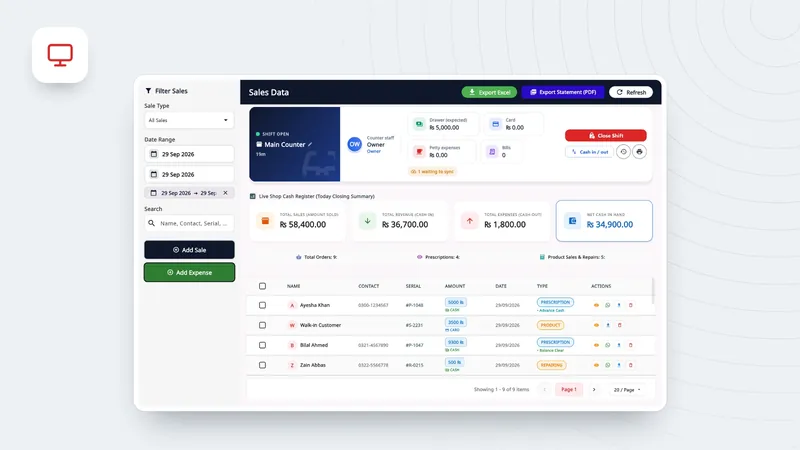
Most owners use a short list: today's sales and expenses, the cash expected in the drawer, who still owes, stock value at cost, items below their minimum, items not sold for months, and profit by product. If several people use the drawer, ask for a shift close with a cash count. Your accountant will want an export to work from.
Why it matters Reports answer two weekly questions: where did the money go, and what should I reorder?
Ask the vendor to show you yesterday's sales and expenses, the expected cash, stock value at cost, low stock and items not sold in 90 days, with one report exported to Excel.
Red flag A stock value with no cost price behind it, or reports that can only be printed.
Can counter staff use it in the language they read best?
Check the program and the receipt separately. Can staff switch the program to their language? Do Arabic and Urdu screens run right to left? Is every label on the receipt translated, not only the menus? In Saudi Arabia, ZATCA's guideline on tax invoicing cites Article 66(2) of the VAT Implementing Regulations: invoices must be issued in Arabic, and any other language is treated as a translation.
Why it matters Staff who misread a screen make wrong bills, and a receipt the customer cannot read leads to arguments at pickup.
Ask the vendor to show you the program switched to your staff's language, an order entered and the receipt printed. Read every label on it.
Red flag Translated menus with English-only receipts.
Questions 10 to 12: hardware, cost and your data
The last three are about what the system costs to run and what happens to your records over the years.
Will it run on the PCs and printers you already have?
Ask which systems it runs on (which Windows versions, 64-bit only or not, Mac, iPad, Android, or only a browser), then ask about each device: 58 or 80 mm thermal printers, A4 or A5 order sheets, the label printer, the scanner, a cash drawer that opens on a sale, and a card terminal that takes the amount from the POS. Some programs print through the Windows driver; others send commands to the printer directly. The guide to connecting a thermal printer explains paper widths and drivers.
Why it matters Hardware bought only to suit the software adds to its cost and is hard to reuse if you switch.
Ask the vendor to show you the program installed on your own counter PC, printing a receipt and a label on your own printers.
Red flag A demo that only runs on the vendor's laptop, or hardware you must buy from the vendor.
What will it cost over three years, not one month?
Ask how the price is counted (per shop, counter, user or branch; monthly or yearly), what setup, training and data migration cost, and what happens to the price at renewal. The worksheet below turns this into a three-year total, and the optical shop software price guide sets out what 11 products publish about their prices.
Why it matters The monthly price is the easiest number to compare, and it can hide setup and per-user fees.
Ask the vendor to show you a written quote for your shop today and as you expect it in two years, with setup and data migration included.
Red flag No written price, or a contract to sign before any trial.
Can you get your data out, and who helps when something breaks?
Ask where your customers, prescriptions and sales are stored, who backs them up, and whether you can restore them after a PC fails. Ask for an Excel or CSV export of customers, prescriptions, sales and stock, and whether it costs extra. Ask what happens to your records if you stop paying, and after how long. For support, ask about channels, language, and hours in your time zone.
Why it matters One day you will change software or lose a PC. Both are small problems if your records are kept off the PC and you can export them.
Ask the vendor to show you the records from the demo exported and opened in Excel, and the answer about stopping payment in writing.
Red flag Exports only through the vendor for a fee, or a vague answer about what happens to your records.
How should you run the demo?
Run every demo the same way, with your own orders and your own staff, so the scores can be compared.
Bring three real orders.
A single vision pair with an advance, a progressive pair sent to a lab with the lab's cost, and a contact lens sale. Remove the customers' names and phone numbers first.
Let your counter staff drive.
The person who will use it every day presses the keys. Slow screens and confusing steps show up quickly.
Unplug the internet in the middle of a sale.
Finish offline, print the receipt, reconnect and watch the record arrive.
Print on your own printers.
A receipt on your thermal roll, an A4 order sheet if you use one, and a frame label.
Collect a balance and close the day.
Then look at the day's sales, the expected cash and who still owes.
Ask for an export of what you entered.
Customers, the three orders and the stock you added, in Excel or CSV.
Ask what happens when you stop paying.
Get it in writing: what you can still open and export, and for how long.
How do you score and compare vendors?
Give each question a weight from 1 to 3, using the must, should and nice-to-have marks from your one-page description. Score each vendor 0 if they could not show it, 1 if they showed part of it or only described it, and 2 if it worked with your own order. Multiply each score by its weight and add them up.
| Question | Weight | Vendor A | Vendor B | Notes |
|---|---|---|---|---|
| 1 Offline billing | 3 | 0 | 2 | A stopped at payment |
| 2 Stock types | 3 | 2 | 2 | |
| 3 Barcodes | 2 | 2 | 1 | B: A4 label sheets only |
| 4 Prescriptions | 3 | 2 | 2 | |
| 5 Sales and tax | 3 | 2 | 1 | B: no list of who owes |
| 6 Suppliers | 2 | 2 | 1 | B: no lab account |
| 7 Branches | 1 | 2 | 0 | One shop for now |
| 8 Reports | 2 | 2 | 1 | B: no cost price |
| 9 Language | 2 | 2 | 1 | B: English receipt |
| 10 Hardware | 2 | 2 | 2 | Both printed on our roll |
| 11 Cost | 3 | 1 | 2 | A: setup and per-user fees |
| 12 Data and support | 3 | 1 | 1 | Both: ask again in writing |
| Weighted total | 29 (sum) | 46 of 58 | 42 of 58 | Weight × score; maximum 29 × 2 = 58 |
Vendor A has the higher total, but it scored 0 on offline billing, a weight-3 question for this shop. A 0 on a weight-3 question can rule a vendor out whatever its total, so this shop would look harder at Vendor B and ask it to fix the gaps it scored 1 on. Then work out what each one costs over three years, in the same currency and for the same shop size.
Three-year cost of ownership
Three-year cost = (monthly subscription × 36) + setup + hardware + training + data migration
Example, in round numbers that are not real market prices:
Subscription: 30 a month × 36 = 1,080
One-off costs: 200 setup + 400 hardware + 100 training + 150 data migration = 850
Three-year cost: 1,080 + 850 = 1,930, or about 54 a month
If a vendor charges per user or per branch, use the size you expect in year three. If you pay yearly for a discount, divide the yearly price by 12. Count hardware you already own as zero, but only if the vendor showed it working.
How does Asaan Optics answer the 12 questions?
This guide is published by the makers of Asaan Optics, so treat the table as one vendor's answers and test them the same way. It describes the released apps on 3 November 2026: Windows desktop 6.7.3 and Android 4.10.0.
| Question | Asaan Optics today | Limit |
|---|---|---|
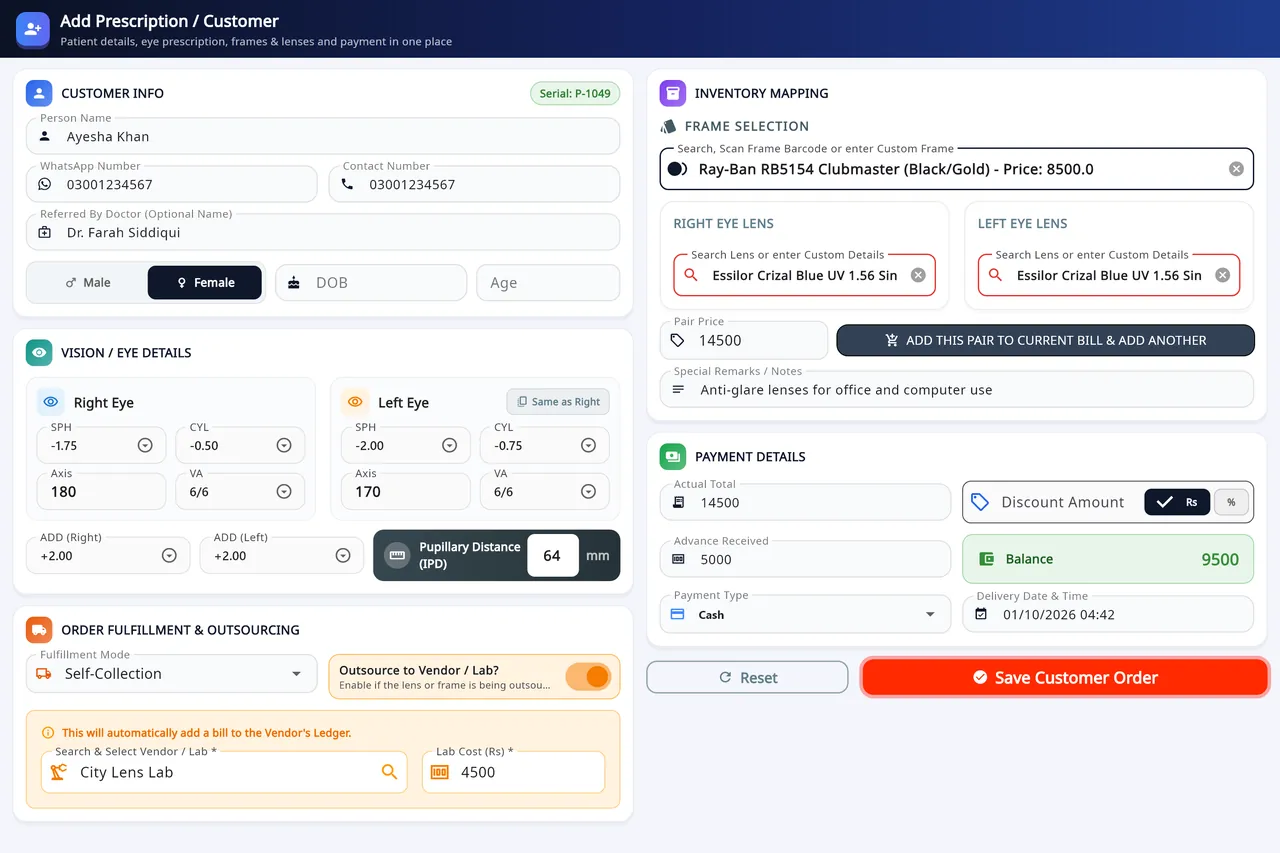
| 1 Offline billing | Windows keeps billing offline; records wait on the PC. Android sends when back online. | The PC sends only with Pending Sync. Sign-in needs internet. Android without a plan: up to 20 records can wait. |
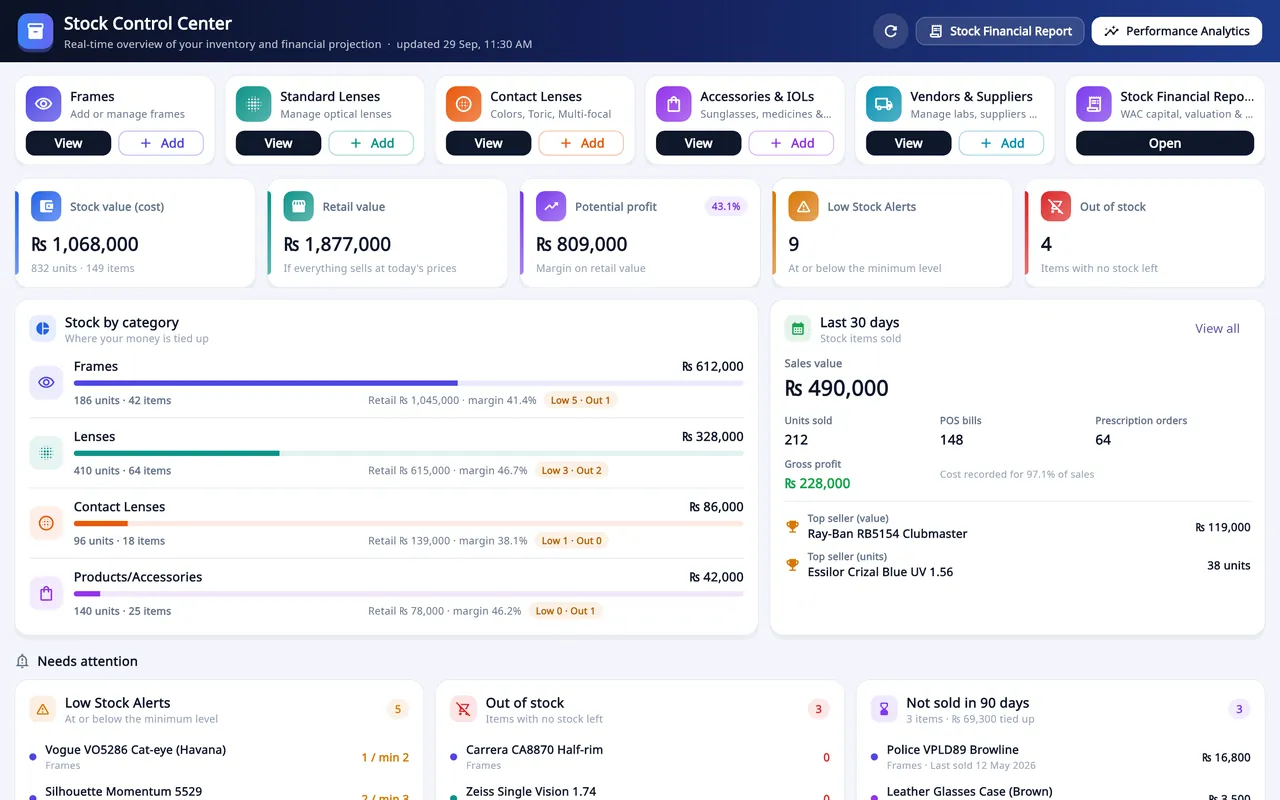
| 2 Stock types | Frames; lenses by power, 0.25 D range or per job; contact lenses with BC, DIA and expiry. | Stock is managed on Windows; the phone sells from it. |
| 3 Barcodes | A barcode for each item; Code 128 labels; USB scanner or Android camera. | Excel or CSV import needs a plan. |
| 4 Prescriptions | SPH, CYL, AXIS, VA and ADD for each eye, plus one IPD; several pairs on one bill. | No prism field. Not an EHR. |
| 5 Sales and tax | Discount, advance and balance due; cash, card, bank transfer (Windows) and other payments; expenses. | No part payments or refund flow. One tax rate. No FBR POS link. |
| 6 Suppliers | A supplier account (khata) of bills, payments and returns; lab costs on the lab's account. | Status and delivery date only; no lab stages or purchase orders. |
| 7 Branches | My Branches on Windows: each branch's sales, bills and low stock. | No stock transfer between branches. Desktop only. |
| 8 Reports | Sales and expenses, shift X and Z reports, stock value, profit, staff audit. | Not an accounting package. |
| 9 Language | 9 languages; Arabic and Urdu run right to left. | Receipts are not fully translated in every language. |
| 10 Hardware | Windows 10 or 11 (64-bit) and Android; 57/58 mm, 80 mm, A4 and A5 on Windows. | No Mac or browser version. No card terminal, ESC/POS or cash drawer. |
| 11 Cost | $4 a month for Android, $20 for Windows, $25 for both; 10% off 6 or 12 months. | Each branch pays its own plan. |
| 12 Data and support | Records kept in your shop account, also after a plan ends. WhatsApp, phone and email support. | Excel or CSV export and import need an active plan. No backup or restore. No stated hours. |
Some detail behind the table. On Android, waiting records are sent when the home screen opens online, or with the sync button on the banner. Labels come in sizes from 38 × 25 mm to 70 × 12 mm, or a custom size. The nine languages are English, Urdu, Arabic, Hindi, Turkish, German, Spanish, French and Portuguese; print a receipt in yours and read every label, as question 9 suggests. Android prints 80 mm receipts. Linking branches costs nothing extra.
On cost, Pakistan has its own prices of PKR 400, 1,200 and 1,500 a month, paid through WhatsApp. On Android, Google Play shows the price for your country. The Windows program is free for the first 30 days, and on Android the 1-month Mobile or Bundle plan starts with one free month through Google Play, once per shop.
On question 12, here is what happens when you stop paying. Your records stay in your account. The desktop still opens, but asks you to renew when you save a new order, repair or stock, and the Android app goes back to its free allowance of 30 entries every 30 days. Excel and CSV export needs an active plan, so export what you need before a plan ends. PDF receipts and statements still save. There is no backup or restore feature; records are kept in the shop account on the server.
On tax, Asaan Optics prints your own tax label, one rate and your registration number, with prices inclusive or exclusive of tax. In Saudi Arabia, ZATCA Phase 2 e-invoicing (Fatoora) runs on the Windows desktop 6.7.1 or later and in the Android app 4.10.0 or later, once it is turned on and each PC or phone is connected. In India you can name the tax GST and print one GST rate and your registration number. It does not split CGST and SGST, keep HSN codes or produce GST returns, so its receipt does not carry the separate central and State tax rates and amounts, or the HSN code, that Rule 46 lists for a tax invoice. In Pakistan it does not connect to FBR's POS system.
It suits an optical shop that bills mostly from a Windows counter, keeps its stock on that PC, and needs the counter to keep working when the internet drops. It is the wrong choice if you need an appointment diary, recall reminders, insurance billing or electronic health records, stock transfers between branches, part payments, FBR POS integration, or a Mac at the counter.
What to take into your next vendor meeting
Pack these before each demo, so every vendor faces the same test.
Useful next steps
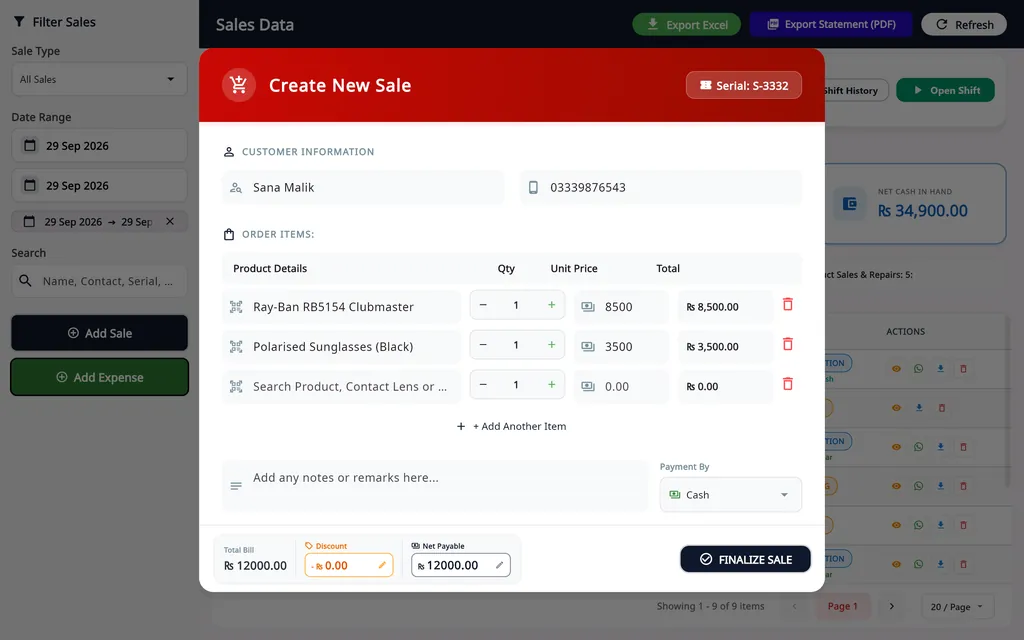 In Asaan OpticsOptical POS and billingCounter sales by barcode, prescription orders with advance and balance, receipts and shift reports.See how it works
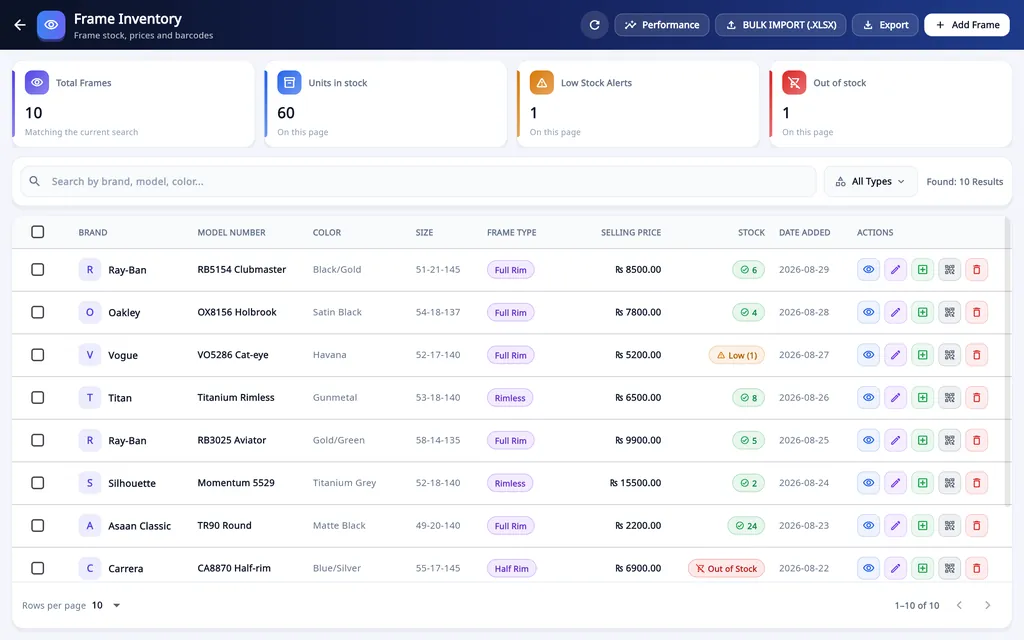 In Asaan OpticsOptical inventoryFrames, lenses by power or range, contact lenses with expiry, barcode labels and low-stock alerts on the Windows desktop.See how it works
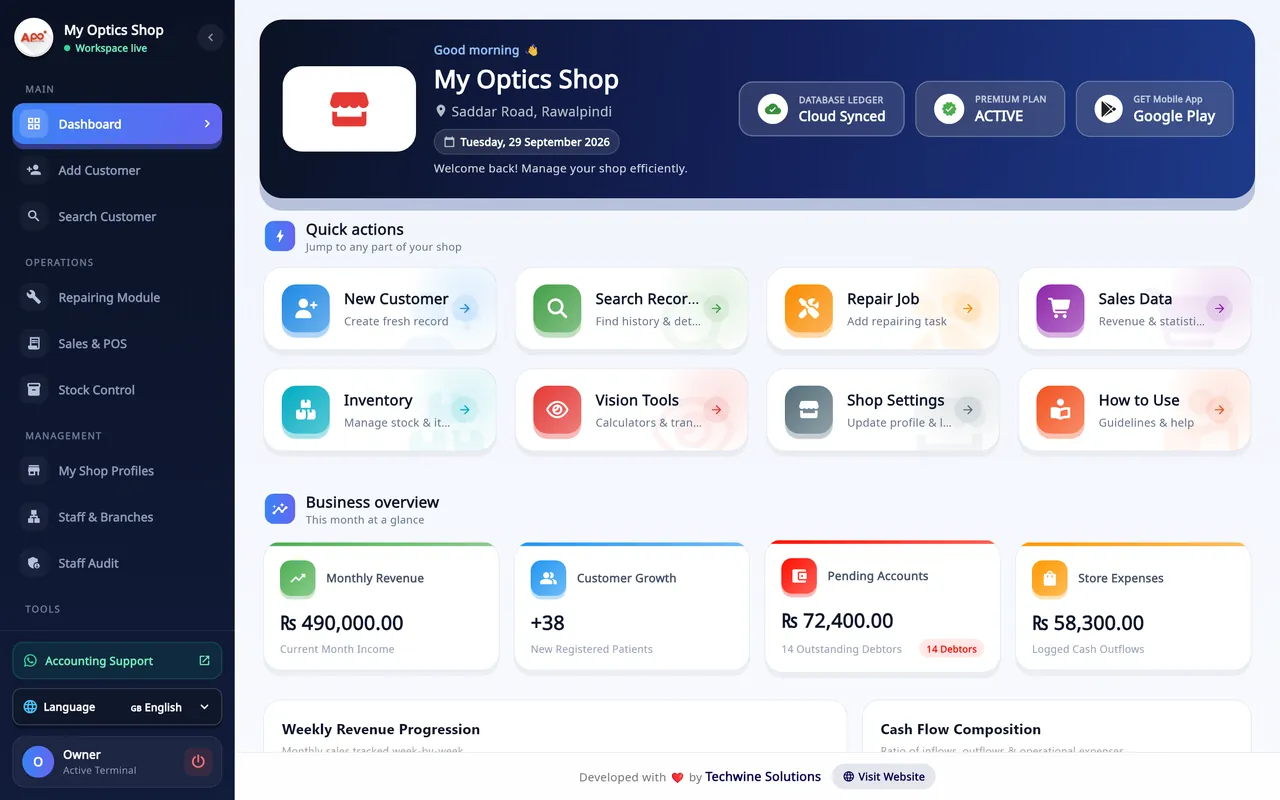 In Asaan OpticsAsaan Optics for WindowsCounter, stock, prescriptions, staff and reports in one program, free for the first 30 days.See how it works
Questions and answers
How long should an optical POS demo take?
Allow about an hour for a demo run with your own three orders, then use the free trial, if there is one, for a week of normal work. A short demo led by the vendor shows the path their product handles best, not your shop's busiest day.
When is the best time to switch to a new POS?
In your quietest weeks, not just before a festival, Eid or the school term. Enter the orders still waiting for pickup in the new system first, and keep the old one open for lookups for a few weeks.
Can I bring my existing customers and stock into a new POS?
Usually, if you can put them in a spreadsheet first. Ask for the vendor's import template, ask whether importing is included in the trial or needs a paid plan, and try twenty rows. Check past prescriptions separately, because some import tools take customers and stock only.
What if two vendors end up with almost the same score?
Compare them on the weight-3 questions first, then on the three-year cost and on how easily you can export your data. If they are still level, run a second week of real orders on each before you decide.
Can I try Asaan Optics before paying?
Yes. The Windows program is free for the first 30 days and no card is needed. On Android, the 1-month Mobile or Bundle plan starts with one free month through Google Play, once per shop, and without a plan the app allows 30 entries every 30 days.
Sources and references
Official and primary sources used for this article. Rules change: check the source before you rely on it.
Central Board of Indirect Taxes and Customs (CBIC), India
Rule 46: Tax invoice, Central Goods and Services Tax Rules, 2017
The particulars a tax invoice in India must carry, including the supplier's GSTIN, a consecutive serial number and the rate and amount of each tax.
Checked 3 November 2026
Zakat, Tax and Customs Authority (ZATCA), Saudi Arabia
Phase 1 (generation) from 4 December 2021 for all resident taxpayers, with invoices issued by a compliant electronic solution; Phase 2 (integration with the Fatoora platform) from 1 January 2023, in waves.
Checked 3 November 2026
Zakat, Tax and Customs Authority (ZATCA), Saudi Arabia
Wave 25 covers taxpayers with VAT-liable revenue above SAR 187,500 in 2022 to 2025, who must integrate with Fatoora by 1 February 2027 (news item of 24 July 2026).
Checked 3 November 2026
Zakat, Tax and Customs Authority (ZATCA), Saudi Arabia
Guideline for Tax Invoicing and Records under VAT Provisions (Version 3, May 2026)
Article 66(2) of the VAT Implementing Regulations: invoices must be issued in Arabic; another language may be added as a translation.
Checked 3 November 2026
Federal Board of Revenue (FBR), Pakistan
POS Integration: Frequently Asked Questions
All Tier-1 retailers are required to integrate all their POSs with FBR; Tier-1 retailer is defined in section 2(43A) of the Sales Tax Act, 1990, including chain stores and retailers in air-conditioned malls.
Checked 3 November 2026
Federal Board of Revenue (FBR), Pakistan
Lists the current rules, including Sales Tax Rules 2006 Chapter XIV as substituted by S.R.O. 69(I)/2025 of 29 January 2025, and the general order on Tier-1 retailers' integration with FBR's POS system.
Checked 3 November 2026