What it does
- Each frame, lens and contact lens can have a barcode.
- Label sizes from 38 × 25 mm to 70 × 12 mm temple labels, or a custom size.
- A label is printed from the item's row in the stock list.
- A USB scanner types into the search field: scan a frame on Add Customer or an item on Create New Sale.
- On Android, Scan Barcode uses the phone camera in POS (New Sale).
- On a sale, scanning the same item twice adds one to the quantity.
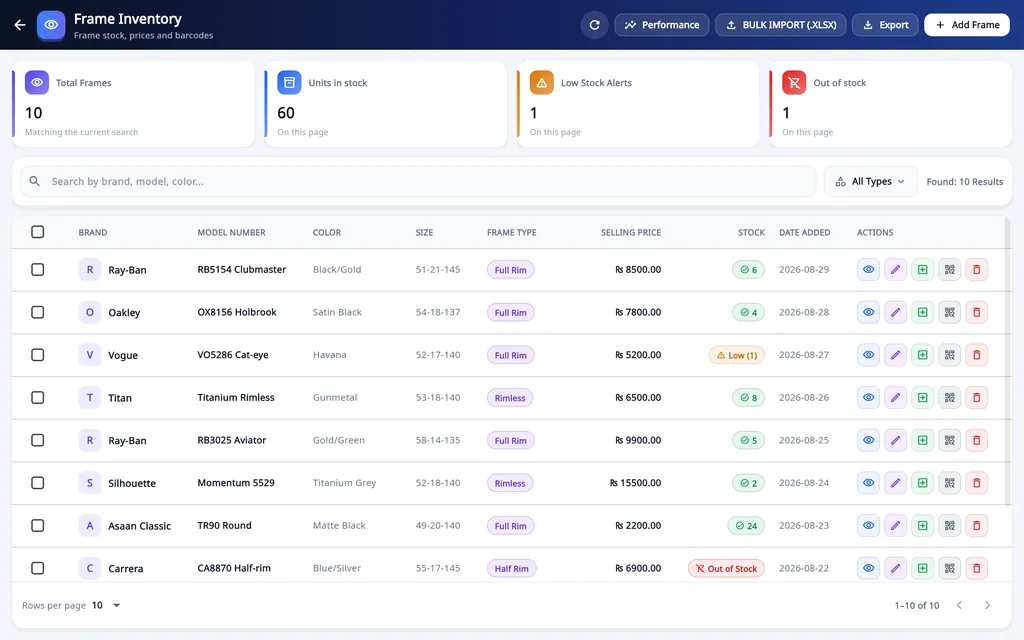
From label to bill
Add the item to stock
One at a time, or with Bulk Import (.xlsx).
Print its label
Choose the size of your label roll, or a custom size.
Put the label on the item
A 70 × 12 mm label suits the temple of a frame.
Scan it at the counter
The item goes on the order or the sale without typing its name.
On Windows and on Android
- Windows desktop
- Prints the labels, and reads them with a USB scanner on Add Customer and Create New Sale.
- Android app
- Reads the labels with the phone camera in POS (New Sale). Labels are not printed from the phone.
The plans are compared on the pricing page.
Questions
Can the desktop software print barcode labels for my frames?
Yes. Each frame, lens and contact lens can have a barcode, and labels print in standard sizes from 38 × 25 mm to 70 × 12 mm temple labels, or a custom size. At the counter a USB scanner reads the label into Add Customer or Create New Sale, so staff do not type the item name.
Which barcode scanners work?
A USB scanner that types like a keyboard, into the search field. In the Android app, the phone camera scans the barcode.
Which label sizes can it print?
Standard sizes from 38 × 25 mm frame labels to 70 × 12 mm temple labels, or a custom size.
Related
- Prescriptions and ordersBoth eyes, the frame, the lenses and the payment on one order, with several pairs on one bill.
- Stock and inventoryFrames, lenses, contact lenses and accessories with barcodes, minimum levels, stock value and vendor ledgers.
- Sales and POSCounter sales by barcode or search, discounts, payment types, expenses, receipts and exports.
- WhatsApp receipts and remindersOrder confirmation, ready-for-pickup, completed and repair messages from the shop's own WhatsApp number.
- Staff shifts and auditShifts with a blind cash count, X and Z reports, manager PINs, staff logins and a staff audit.
- VAT, GST and ZATCA-format QRYour own tax label, rate and registration number, prices with or without tax, and a QR code on receipts.
- Repair jobsA serial number and a receipt for every repair, with the advance, the balance and the delivery date.
- Asaan Optics DesktopEvery screen of the Windows software.
- PricingPlans for the desktop, the phone or both.
- DownloadThe Windows installer and the Android app.
- How to connect a thermal printer and print barcode labelsGuide