Two kinds of sale in an optical shop
The counter sale
A ready item leaves with the customer: sunglasses, a case, lens solution, contact lenses from the shelf. Any POS can do this.
The spectacle order
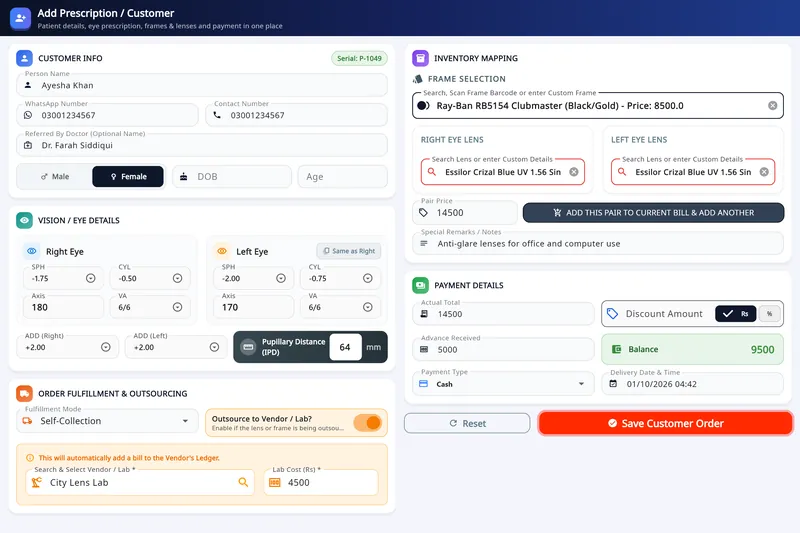
A prescription for each eye, a frame and two lenses, an advance today and a balance on collection, often with a lab in between. This is where a general POS stops.
Nine things to check in an optical POS
1. The prescription on the order
SPH, CYL, axis, ADD and PD for each eye, saved with the sale and printed on the receipt.
2. More than one pair on a bill
Distance and reading glasses, or two family members, on one bill.
3. Advance and balance
The receipt shows what was paid and what is due at pickup, and the list shows who still owes.
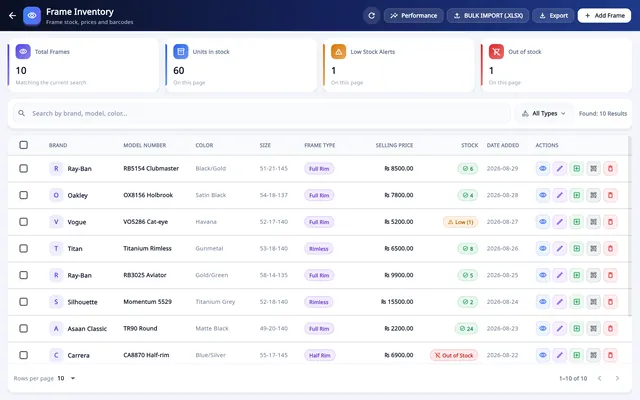
4. Stock by barcode
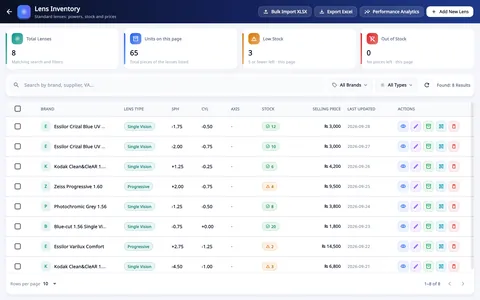
Frames and lenses are picked from stock by scanning, and the count goes down when the sale is saved.
5. Lab jobs
An order sent to a lab carries the lab's cost, so you know what each lab is owed.
6. Receipt sizes
58 mm and 80 mm thermal rolls for the counter, A4 or A5 for a full order sheet, and PDF to send.
7. Selling without internet
The counter keeps billing through an outage and sends the records afterwards.
8. Shifts and staff limits
A cash count at the start and end of each shift, and a limit on the discount staff can give.
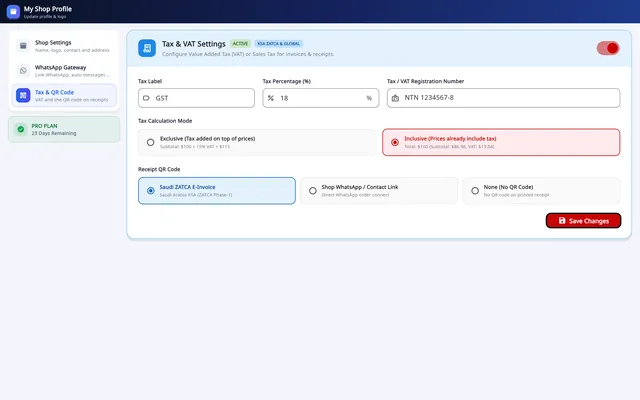
9. Tax on the receipt
VAT or GST, inclusive or exclusive, with your registration number where the law asks for it.
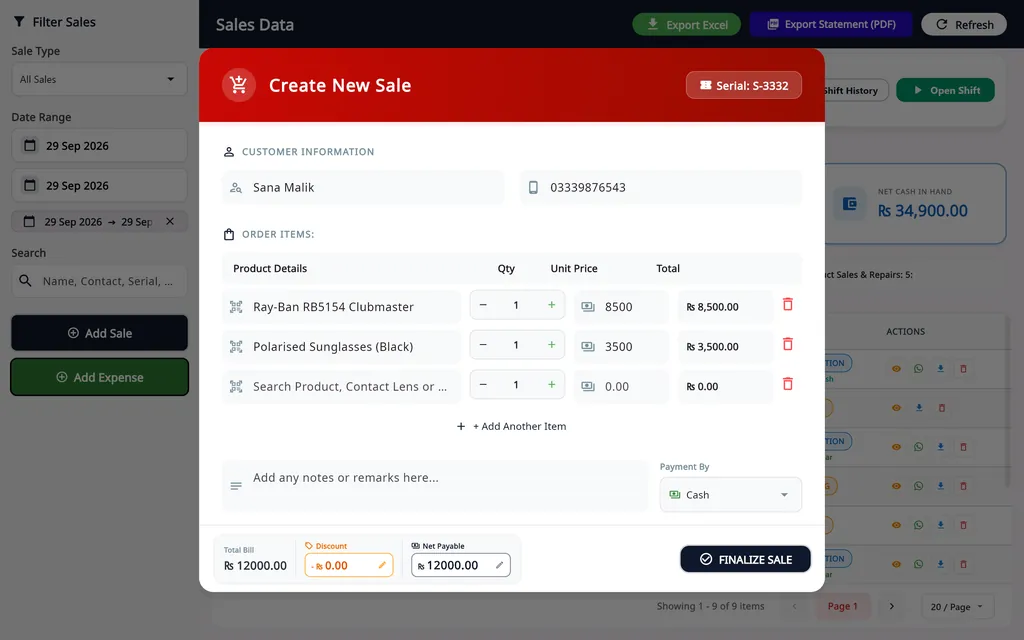
How a counter sale is made in Asaan Optics
- 1
Find the item
Search a product, contact lens or service, or scan its barcode. Scanning the same item twice adds one to the quantity.
- 2
Set quantity and price
Add more items to the same sale.
- 3
Take the payment
Enter a discount if there is one and choose cash, card, bank transfer or another type. The choice feeds the shift totals.
- 4
Finalize Sale
The stock goes down and the sale joins the list with its receipt.
A spectacle order is made on a different screen, Add Customer, which holds the prescription, frame, lenses and advance. Prescriptions and orders
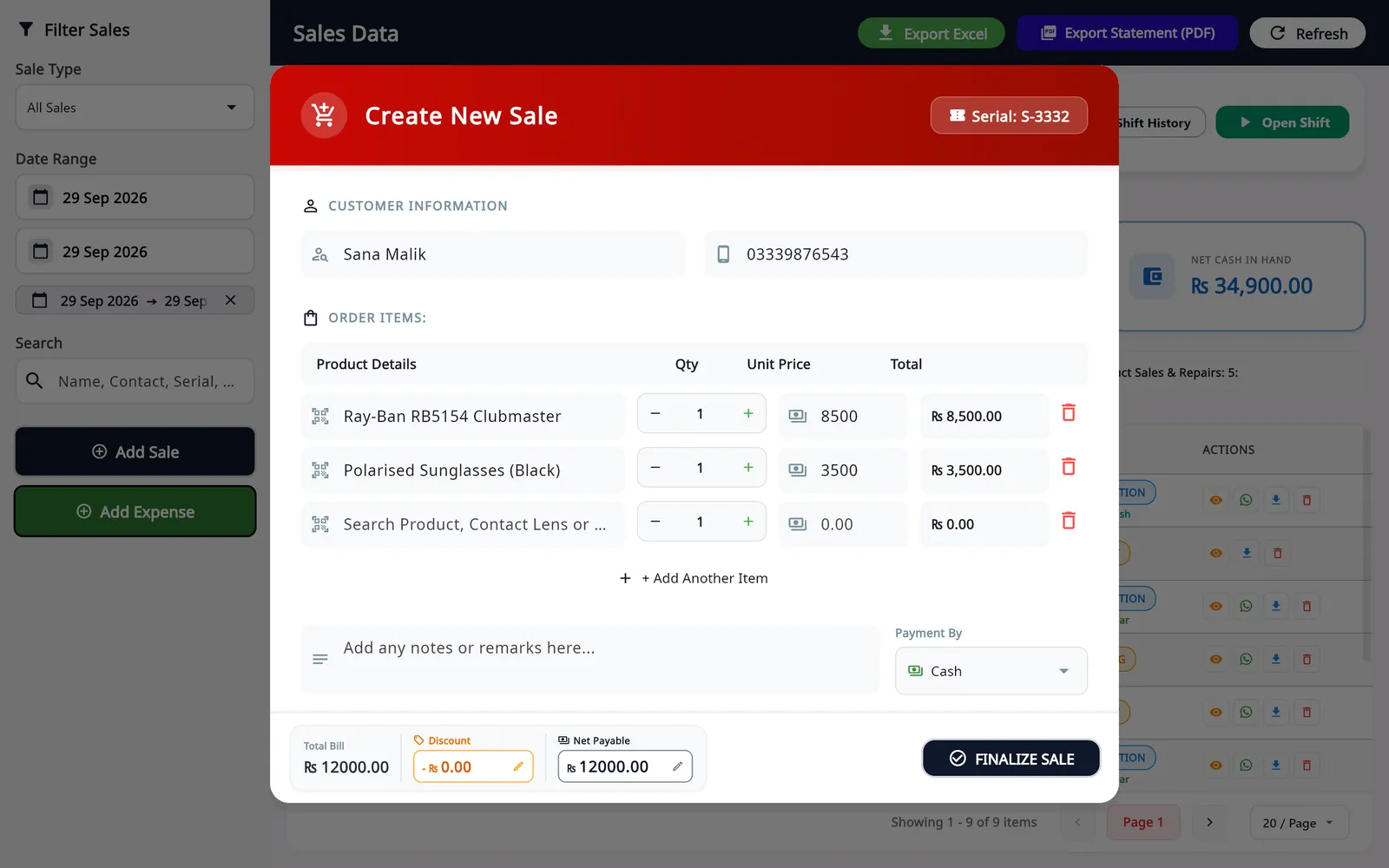
The screens behind these checks
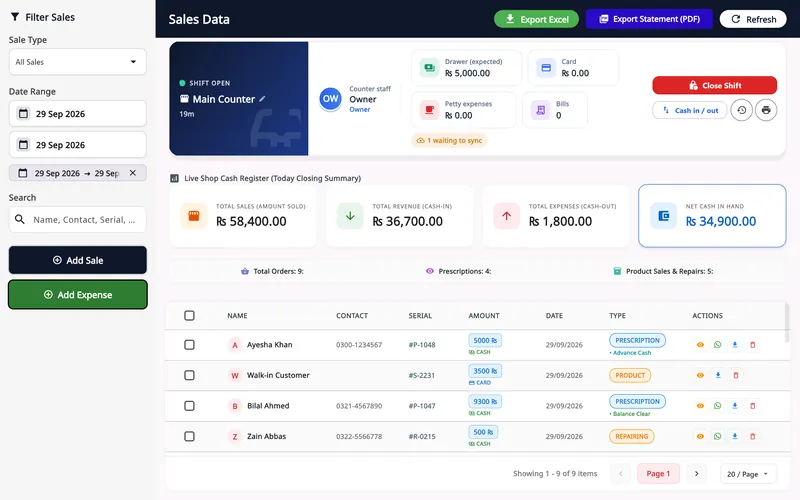 Sales and POS
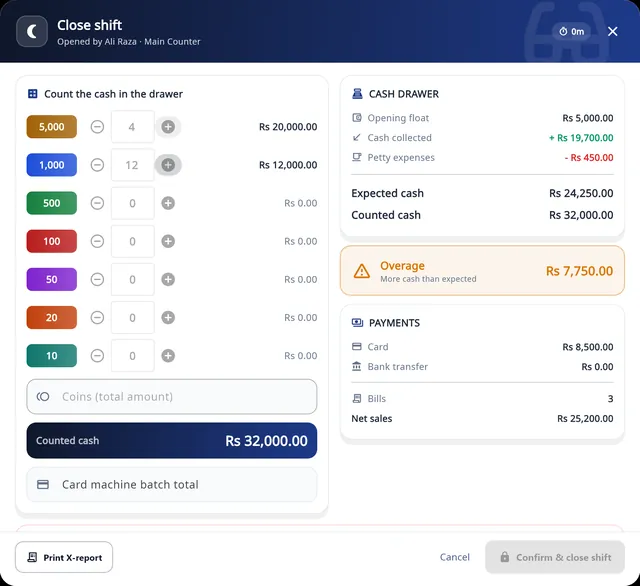 Shifts and audit
 Barcode labels
 VAT and GST
What Asaan Optics' POS does not do
- It does not connect to a card terminal. Card and bank transfer are recorded as payment types; the card itself is taken on your own machine.
- It has no appointment diary and no insurance or voucher claims.
- Stock is one list for the account, with no per-branch stock or transfers between branches.
- The full till runs on Windows. The Android app sells from the same stock but has no shifts or cash count.
Questions
Can I use a general retail POS in an optical shop?
For ready items, yes. For spectacle orders you would keep the prescription, the advance, the lab job and the pickup date somewhere else, usually on paper, and the two records drift apart. An optical POS keeps the order and the sale as one record.
What hardware does an optical shop POS need?
For Asaan Optics: a PC with Windows 10 or 11 (64-bit) and any printer installed in Windows, including 57/58 mm and 80 mm thermal printers and A4 or A5 printers. A USB barcode scanner is optional; it types into the search field like a keyboard. How to connect a thermal printer.
Does an optical POS work without internet?
It depends on the product; ask each vendor what happens during an outage. In Asaan Optics a sale made offline is saved on the PC in a queue, shifts and the till keep running, and you press Pending Sync on the dashboard when the connection is back.
Can a phone be the POS?
For quick sales, yes. In the Asaan Optics Android app, POS (New Sale) sells the frames, lenses and accessories kept in the desktop program: scan the barcode with the camera or pick the item with Add from Inventory. Shifts, the cash count and stock control stay on the Windows program.
 Entering a prescription
 Organizing lens stock